install · 60 seconds
Get Xgrower into your Chrome.
Sideload version while we wait for Chrome Web Store review. Future you will install in one click.
v1.0 · ~500KB · TypeScript source: github.com/JoyyyceD/xgrower-extension
Five steps. Roughly a minute.
If you've ever installed a Chrome extension manually before, skip ahead. If not, follow along — it's the same five clicks every time.
STEP / 01
Open Chrome's extension page
Paste
chrome://extensions/ in the address bar. Chrome won't let you click a link to it, so paste is the only way.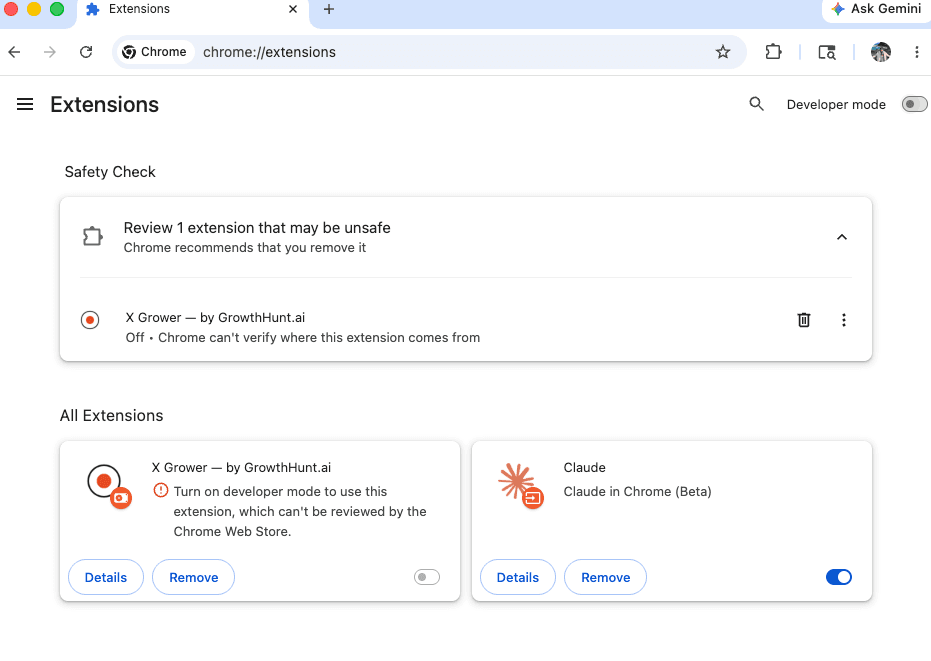
STEP / 02
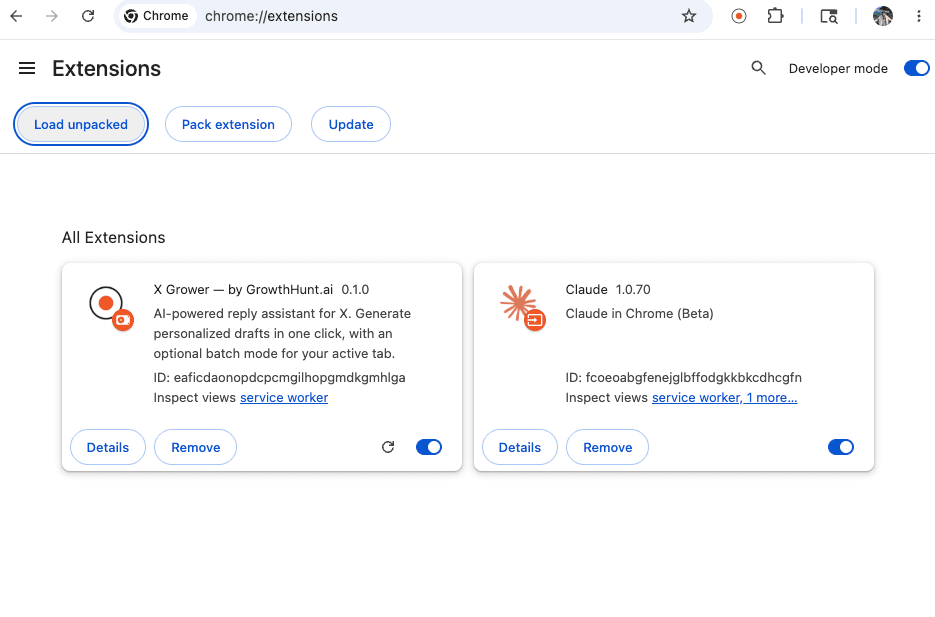
Turn on Developer mode
Top-right toggle. You'll see new buttons appear in the toolbar above the list.
STEP / 03
Unzip the file you downloaded
Double-click
xgrower-extension.zip. You'll get an xgrower-extension folder next to it.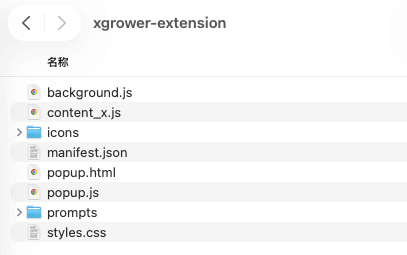
STEP / 04
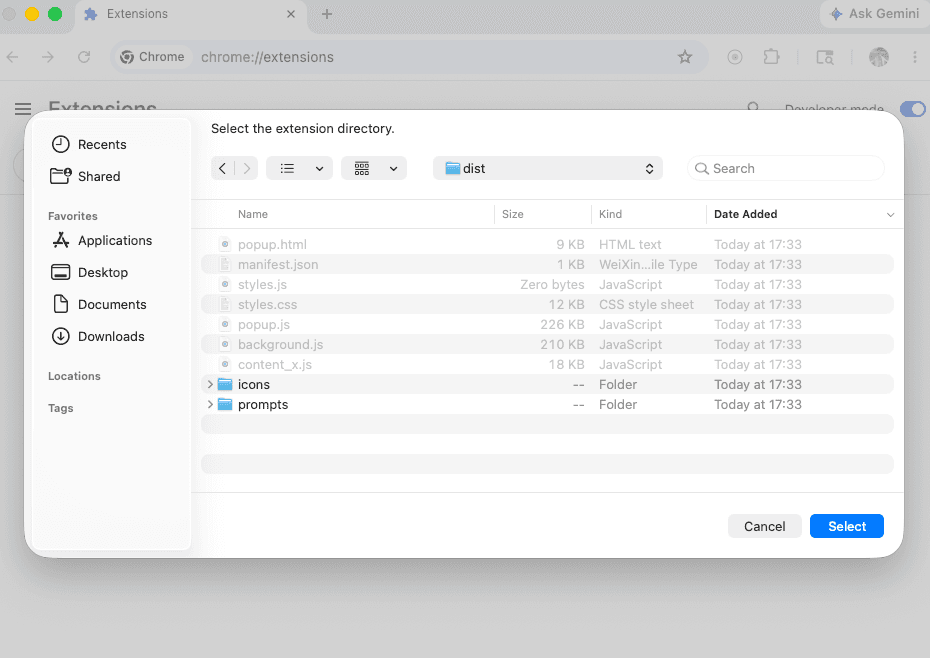
Click "Load unpacked" → select the folder
Pick the unzipped folder (not the .zip). Chrome installs Xgrower into your browser.
STEP / 05
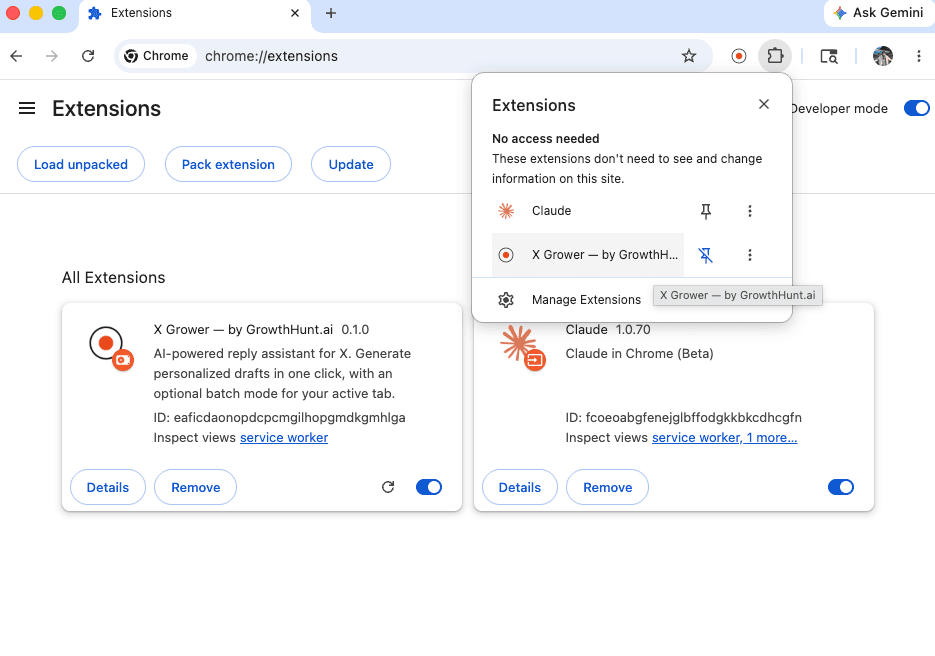
Pin Xgrower + sign in
Click the puzzle icon in the Chrome toolbar, pin Xgrower so it's always visible. Click the Xgrower icon and sign in with Google.
TROUBLESHOOTING
When it doesn't work.
"Manifest version error" when loading?+
You unzipped twice. Try Step 3 again — the folder you select needs to contain
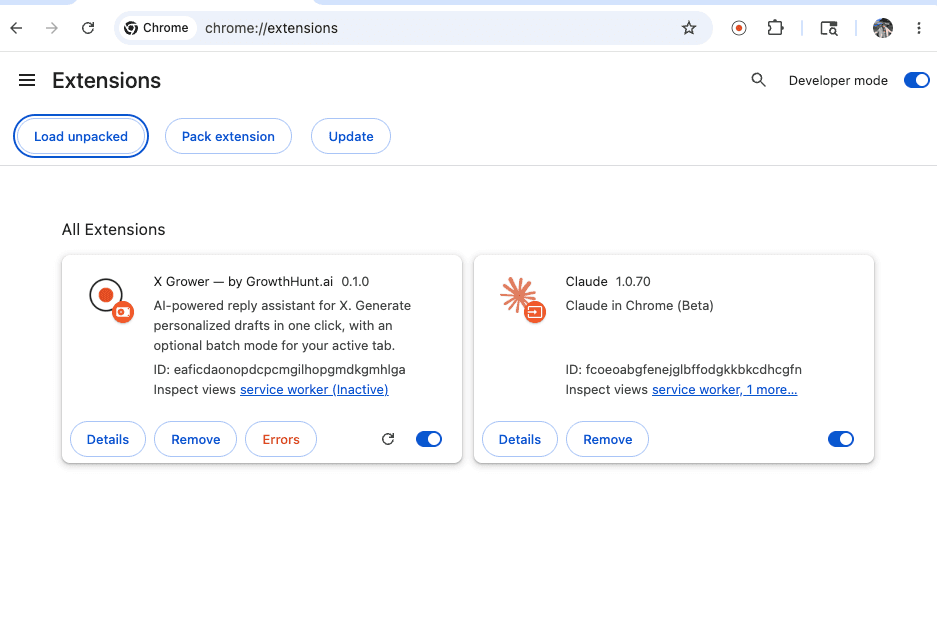
manifest.json directly, not a folder containing another folder.I see an "Errors" tab in chrome://extensions?+
Click Errors → screenshot → DM @Felixisbuilding. Most launch-day errors are session/auth related and I'll fix them in <1 hour.
Does this work on Edge / Brave / Arc?+
Edge yes (Chromium fork). Brave should but I haven't tested. Arc yes. Safari no — different extension format.
Will I lose access when the Chrome Web Store version ships?+
No. Auto-migration — your auth + invite code carry over. You'll get an email when the CWS version lands (~2 weeks post-launch).
NEXT
Got it installed?
Stuck? DM @Felixisbuilding with a screenshot — I'll get back inside an hour during launch week.